Widgets
Bring your LibreTime broadcast to your website with embeddable widgets! LibreTime comes with two widgets: a streaming player and a schedule. Both widgets use iframes to display and can be placed wherever embeddable code can on a website.
Getting started
Before using the widgets, make sure LibreTime's Public API is enabled in Settings > General.

Note
LibreTime widgets cannot function through VPNs or SSH tunneling. The instance must be accessible from the internet for the widgets to work.
Streaming player widget
The streaming player widget inserts your LibreTime stream into your website. One example is from WRCS Community Radio in Columbus, Ohio, USA.
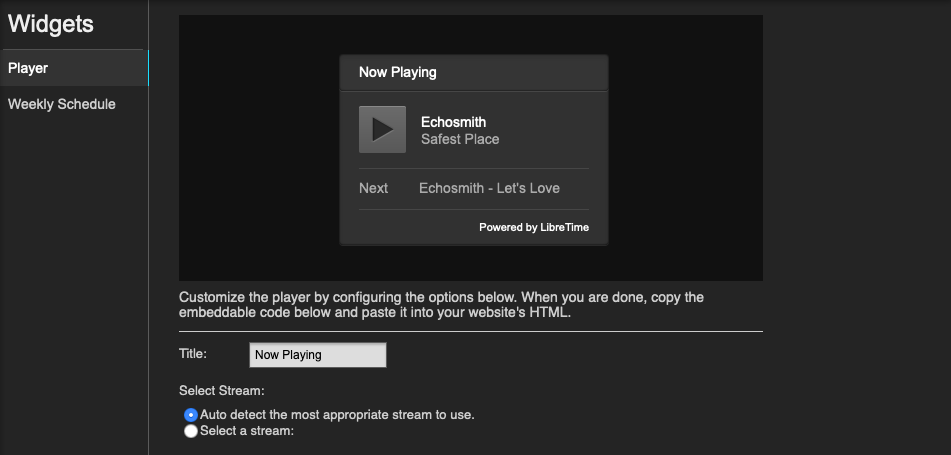
From Widgets > Player, enter a title for your streaming widget and select what stream you'd like to use. All selectible streams must first be configured in Settings > Streams (see Settings). Auto detect should be fine for most.
Show schedule widget
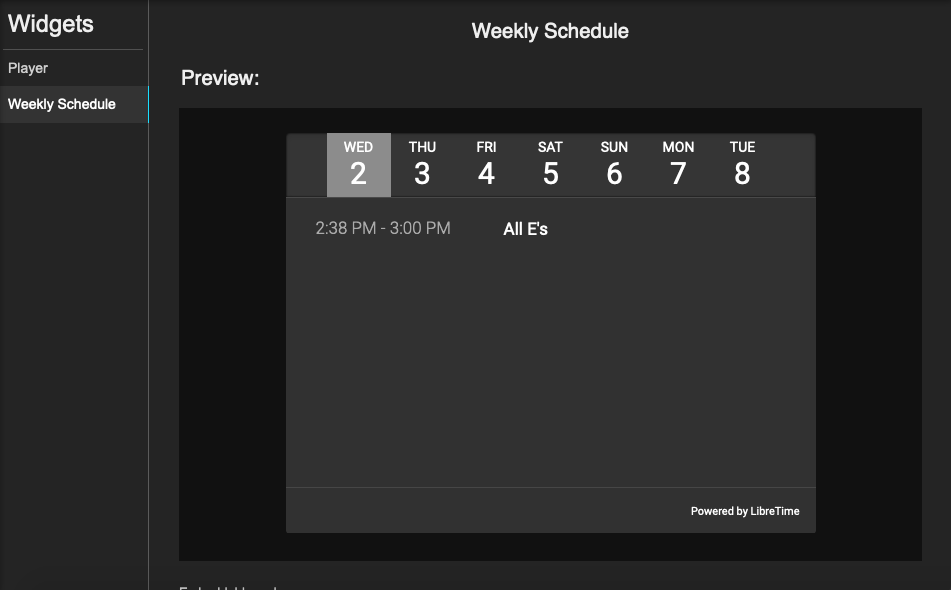
The show schedule widget displays the upcoming shows for the next seven days. There are no customizable settings for this widget.